Add a Deceased Dad to a Wedding Photo
Create space for a father in a wedding portrait where his relationship to the bride, groom, or family is immediately clear.
Prepare the wedding and father portraits
Group photo
Portrait
JPG, PNG, or WebP · Max 10 MB per photo
No photos ready? Load a sample pair
Customize result (optional)
0/500
Photos upload only after you start. An allowance or credit is restored if the provider does not accept the task.
Output
How it works
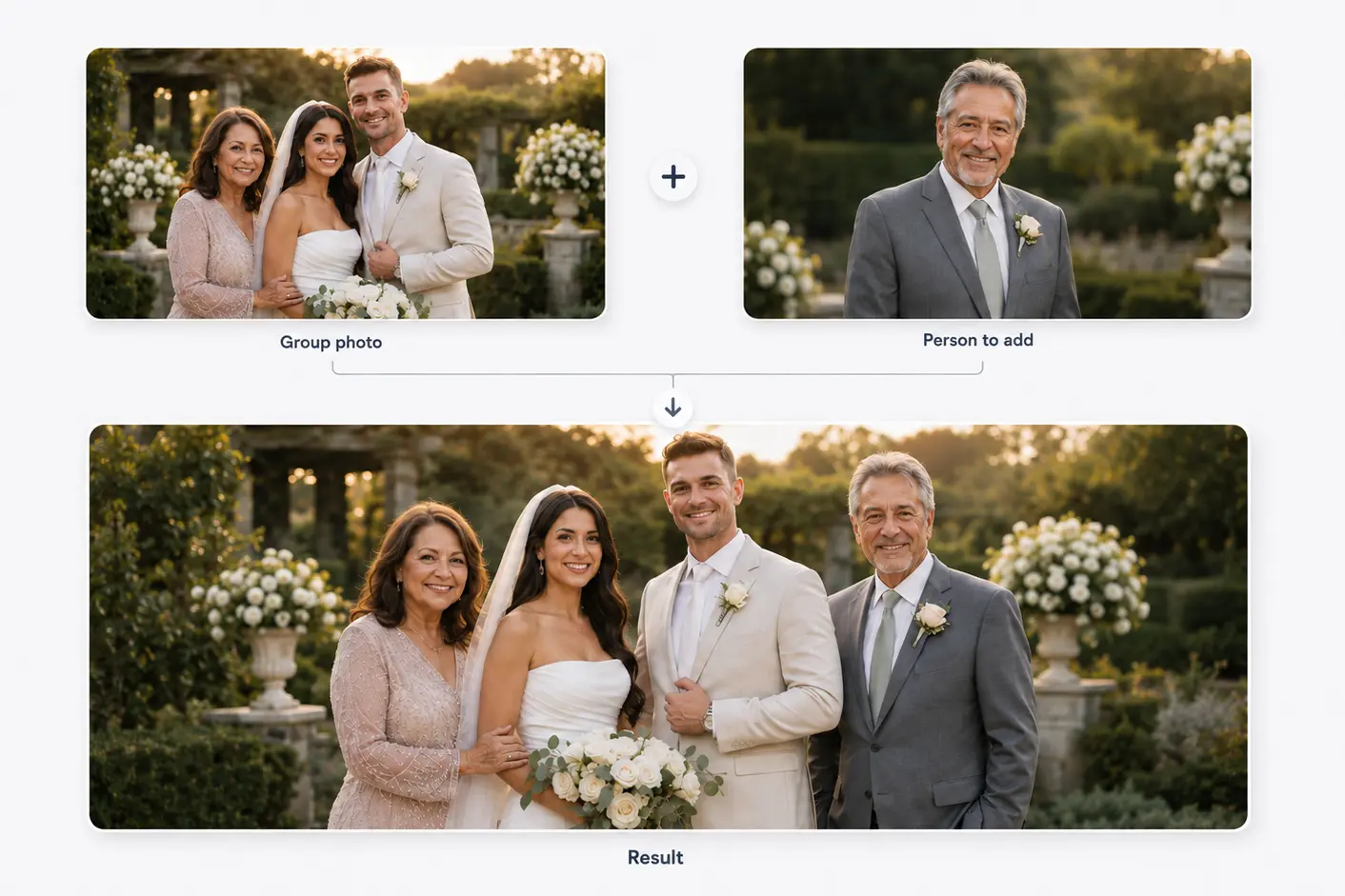
Two photos become one shared moment
Start with a family or group photo and a separate portrait. The person is then added to the main photo.
Results vary with photo angle, lighting, image quality, and available space.
Composition, not cut-and-paste
Let the relationship determine the placement
A father may belong in an aisle-side position, a quiet parent-child portrait, or beside close family. The strongest frame depends on the real relationship.
When only a headshot exists, a closer crop is more credible than fabricating a full standing pose.
Before you choose
Choose a father portrait that can fit the scene
Prefer a forward or three-quarter angle.
Look for a suit, shirt, or neutral clothing.
Show hands only when the source contains enough detail.
Do not cover the dress, bouquet, train, or joined hands.
Three decisions
Plan the father wedding portrait
- 01
Choose the relationship moment
Decide whether this is a family formal, parent-child portrait, or ceremony memory.
- 02
Use the most recognizable portrait
Favor a familiar expression over a newer but less representative image.
- 03
Match eye line and height
Use nearby people and camera perspective to estimate a plausible position.
Keep important wedding details visible
A father beside the bride should not obscure the dress or bouquet; preserve lapels and hand positions in groom portraits.
Harsh flash and different color casts require correction; cropping alone cannot repair mismatched light.
Related use cases
Choose the page closest to your photo
Straight answers
Questions before you choose photos
Clear answers about what the tool accepts, what AI may change, and what happens after you generate.
Can I add my late father beside me?
Yes. A compatible portrait and open position provide the strongest starting point for a natural result.
What if I only have a headshot?
Use a closer composition rather than inventing a complete body pose.
Should my dad appear transparent?
Transparency makes the image symbolic. Use it only when that meaning is intentional.
Are the wedding photos stored?
They upload only after you start generation. The provider uses temporary source URLs, while the local job record expires after 24 hours.
Start with the two photos you already have
Choose two photos, add optional result guidance, and create one downloadable result. Review both source photos before you start.
Add a Deceased Dad to a Wedding Photo