Add a Deceased Loved One to a Photo
Include someone who could not be present in a meaningful family or milestone photograph. Preserve the person's recognizable expression while matching the scale, light, and mood of the main image.
Prepare a memorial photo
Group photo
Portrait
JPG, PNG, or WebP · Max 10 MB per photo
No photos ready? Load a sample pair
Customize result (optional)
0/500
Photos upload only after you start. An allowance or credit is restored if the provider does not accept the task.
Output
How it works
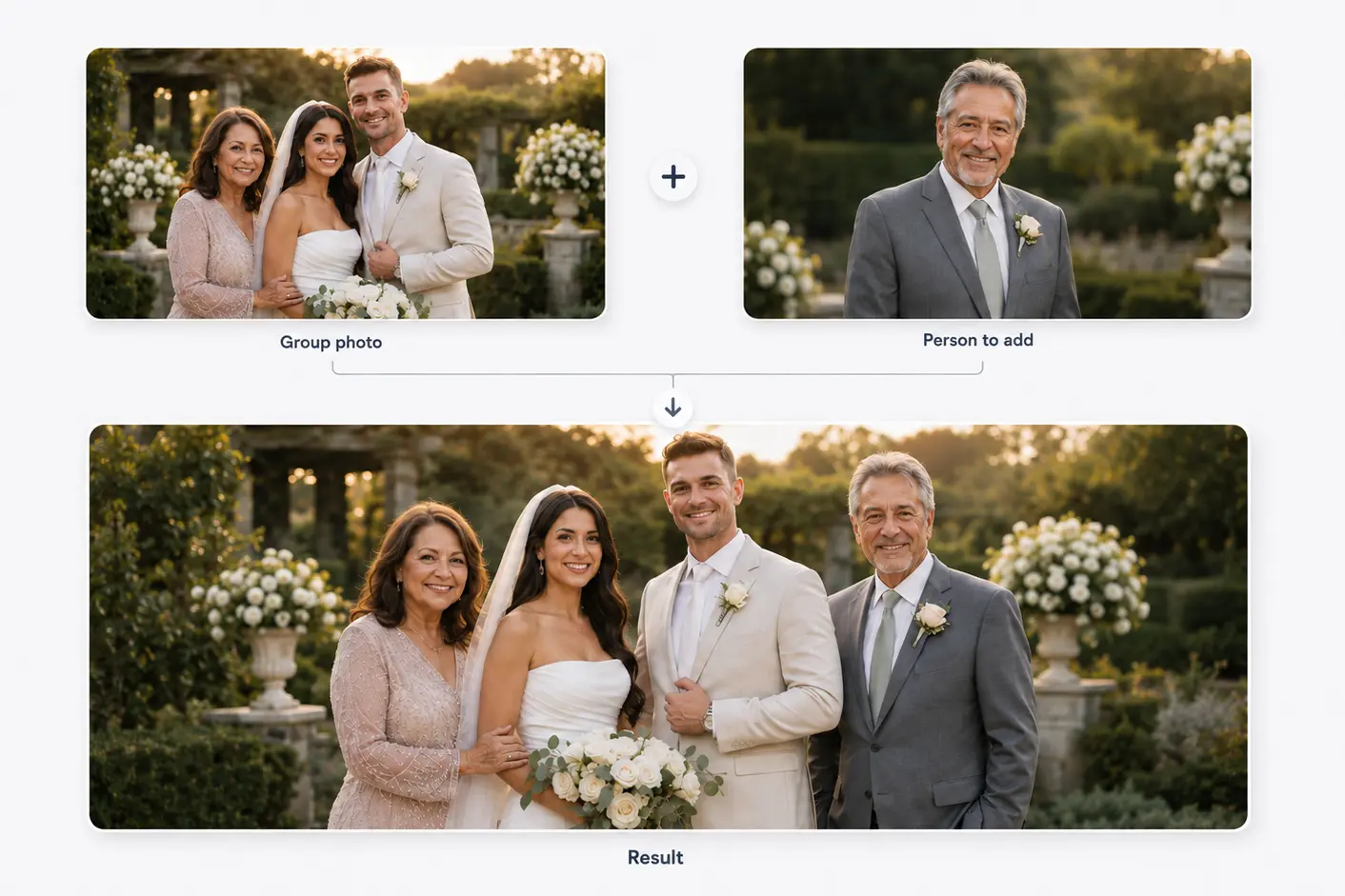
Two photos become one shared moment
Start with a family or group photo and a separate portrait. The person is then added to the main photo.
Results vary with photo angle, lighting, image quality, and available space.
Composition, not cut-and-paste
Keep the person recognizable and the moment grounded
A respectful memorial photo should feel composed, not sensational. Choose either a natural group placement or a gentler symbolic treatment intentionally.
Source quality matters more than decorative effects. A clear face, plausible body angle, and open space create the strongest foundation.
Before you choose
Source-photo checklist for a memorial edit
Choose a portrait that family members recognize immediately.
Avoid photos where another person covers the face or shoulders.
Match formal clothing and body angle to the event when possible.
Keep the original event photo uncropped until placement is decided.
Three decisions
How to prepare the two photographs
- 01
Keep the main moment intact
Use the original group or event file at its highest available resolution.
- 02
Choose a recognizable portrait
Select the image that best preserves the loved one's face and natural expression.
- 03
Choose a respectful placement
Plan whether the person belongs within the group or in a quieter edge position.
Avoid visual choices that change the meaning
Do not add spiritual symbols, transparent effects, or dramatic scenery unless the family explicitly wants that style.
If the portrait is damaged or very small, restoration may need to happen before composition; enlargement cannot recreate missing facial detail.
Related use cases
Choose the page closest to your photo
Straight answers
Questions before you choose photos
Clear answers about what the tool accepts, what AI may change, and what happens after you generate.
Can a deceased family member be added naturally to a group photo?
Yes. A compatible angle, sufficient detail, similar lighting, and open space give the generator a stronger starting point.
Should a memorial photo include a transparent or angel effect?
Only if that is the intended meaning. A natural placement is usually the least interpretive option.
Can I use an old scanned portrait?
Yes, but use the largest, clearest scan available. Damage or severe blur may require restoration first.
When are the photos uploaded?
They remain local while you review them, then upload only after you start generation.
Start with the two photos you already have
Choose two photos, add optional result guidance, and create one downloadable result. Review both source photos before you start.
Add a Deceased Loved One to a Photo