Create a Family Portrait From Separate Photos
Build one family portrait when everyone was not photographed at the same time. This workflow covers distance, scheduling, a new baby, or remembrance without assuming why the photos are separate.
Prepare the separate family photos
Group photo
Portrait
JPG, PNG, or WebP · Max 10 MB per photo
No photos ready? Load a sample pair
Customize result (optional)
0/500
Photos upload only after you start. An allowance or credit is restored if the provider does not accept the task.
Output
How it works
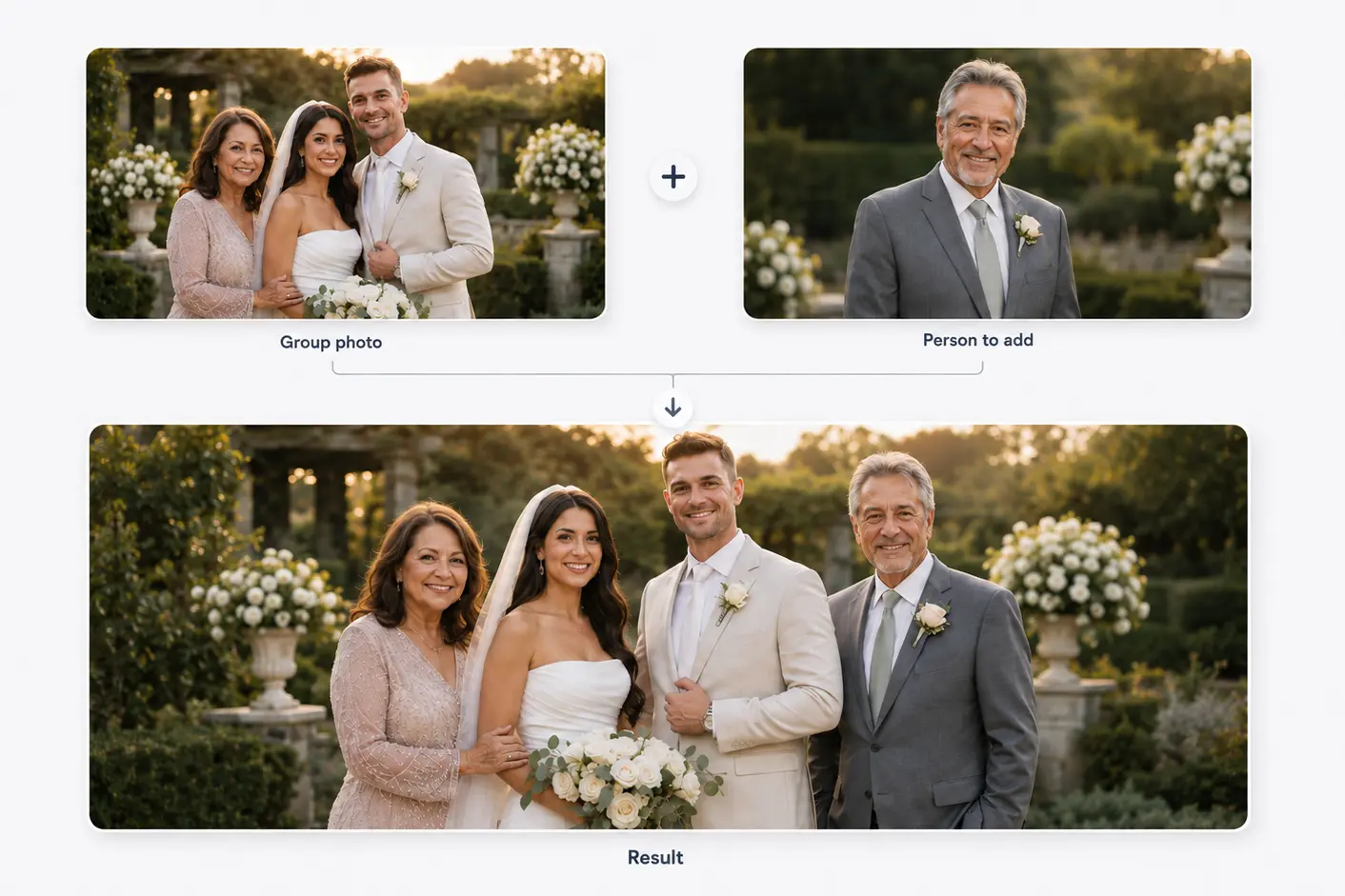
Two photos become one shared moment
Start with a family or group photo and a separate portrait. The person is then added to the main photo.
Results vary with photo angle, lighting, image quality, and available space.
Composition, not cut-and-paste
Start with one visual foundation
One image should supply the setting, camera angle, and overall light. Treating every source equally creates inconsistent scale and background cues.
The current tool adds one portrait to one base image. Each extra source would introduce another angle, crop, resolution, and lighting mismatch.
Before you choose
Choose compatible separate photographs
Pick the base with the best setting and spacing.
Use a portrait near the same eye level.
Avoid extreme wide-angle selfies.
Keep original files instead of compressed screenshots.
Three decisions
Turn separate photos into one composition plan
- 01
Choose the visual anchor
Use one family photo to define background, camera view, color, and final crop.
- 02
Select the compatible portrait
Compare eye level, angle, light, sharpness, and visible body detail.
- 03
Choose believable open space
Use group spacing and floor perspective to find a position that does not hide others.
Do not solve every mismatch with cropping
A tight crop cannot fix high camera angle, wide-angle face distortion, or light coming from the wrong side.
When sources conflict badly, an intentionally illustrated portrait may be more coherent than forced photorealism.
Related use cases
Choose the page closest to your photo
Straight answers
Questions before you choose photos
Clear answers about what the tool accepts, what AI may change, and what happens after you generate.
Can I make a family portrait when everyone is in different photos?
The current workflow starts with one base group and one added portrait. Multi-person composition is not supported.
Which image should be the base?
Choose the strongest setting, cleanest arrangement, best resolution, and enough open space.
Do all photos need the same background?
No. The base supplies the background, but similar angle and lighting make integration easier.
Can I create the portrait today?
Yes. Select one base family photo and one portrait, then create, review, and download the generated result.
Start with the two photos you already have
Choose two photos, add optional result guidance, and create one downloadable result. Review both source photos before you start.
Create a Family Portrait From Separate Photos