Add a Loved One to a Graduation Photo
Include a loved one in a graduation portrait while keeping the graduate, gown, diploma, and achievement at the center of the image.
Prepare the graduation photo merge
Group photo
Portrait
JPG, PNG, or WebP · Max 10 MB per photo
No photos ready? Load a sample pair
Customize result (optional)
0/500
Photos upload only after you start. An allowance or credit is restored if the provider does not accept the task.
Output
How it works
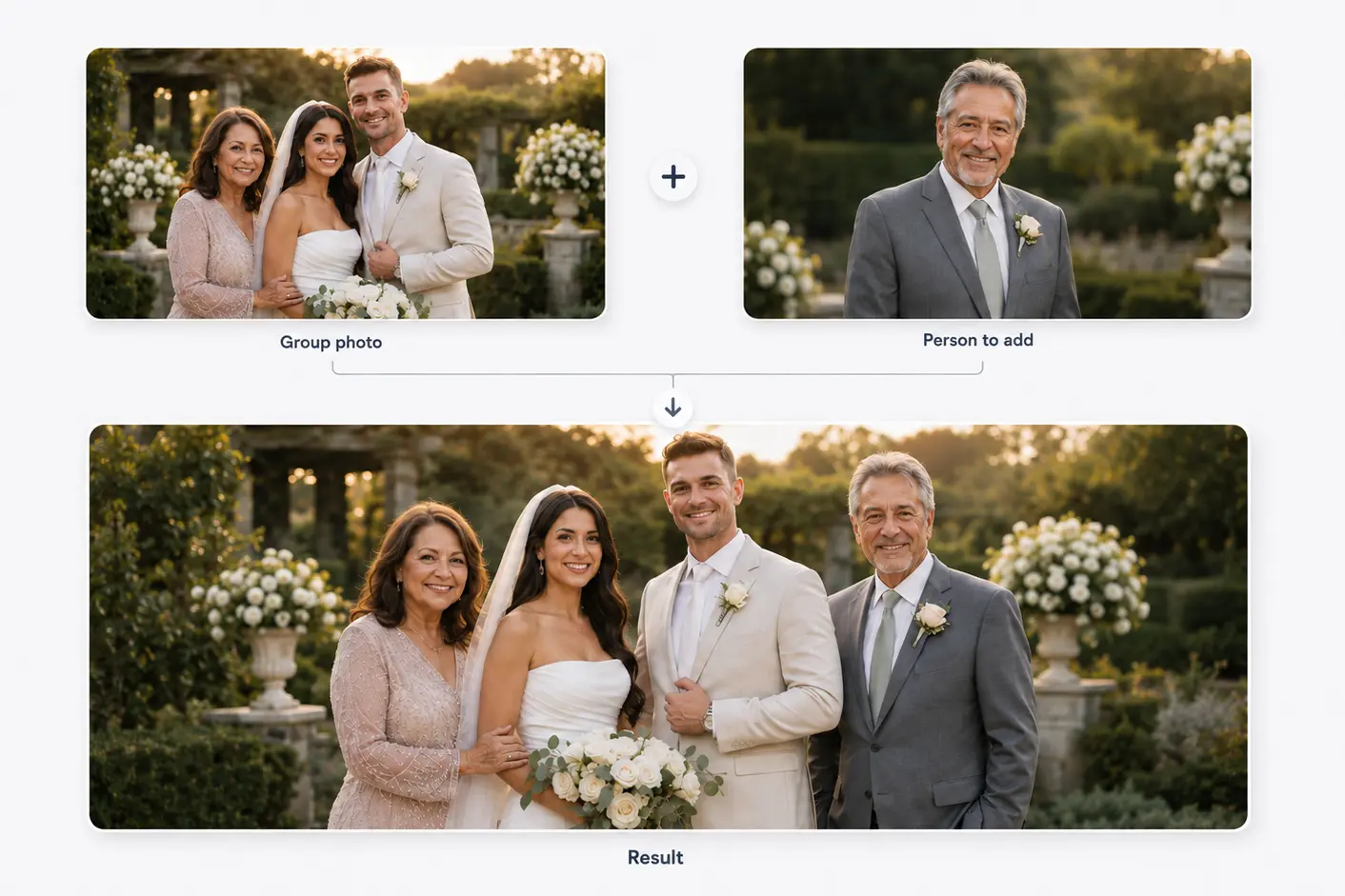
Two photos become one shared moment
Start with a family or group photo and a separate portrait. The person is then added to the main photo.
Results vary with photo angle, lighting, image quality, and available space.
Composition, not cut-and-paste
Keep the achievement visible
Graduation photos contain strong vertical shapes: the gown, stole, diploma, stage, and full-body pose. Keep those milestone details visible.
A posed portrait or family photo after the ceremony usually offers more natural space than a crowded stage image.
Before you choose
Choose source photos for a graduation portrait
Keep the cap, tassel, stole, and diploma visible.
Match a standing portrait to a full-length graduate.
Use the uncropped original for more placement room.
Avoid strong flash when the main photo uses soft outdoor light.
Three decisions
Plan the graduation composition
- 01
Choose the milestone frame
Decide between a formal portrait, stage moment, or family photo.
- 02
Protect graduation details
Mark the gown, diploma, school name, and hand positions that must stay visible.
- 03
Add the relationship clearly
Place the loved one without taking over the frame.
Match camera height and floor plane
In full-length portraits, feet, height, perspective, and shadow must agree with the scene.
For a close-up graduate, a shoulder-to-shoulder crop is more believable than inventing a full pose from a headshot.
Related use cases
Choose the page closest to your photo
Straight answers
Questions before you choose photos
Clear answers about what the tool accepts, what AI may change, and what happens after you generate.
Can I add a deceased loved one to my graduation picture?
Yes. Choose open space and a compatible portrait, then review the generated result before downloading it.
Which graduation photo is easiest?
A posed portrait or post-ceremony family image usually provides cleaner space than a stage photo.
Can the diploma stay visible?
It should. Placement needs to protect the gown, diploma, stole, school name, and hands.
Are my photos uploaded now?
They remain in the browser until you start generation, then upload to the temporary image-processing service.
Start with the two photos you already have
Choose two photos, add optional result guidance, and create one downloadable result. Review both source photos before you start.
Add a Loved One to a Graduation Photo