Add a Loved One to a Wedding Photo
Add an important person to a ceremony portrait, family formal, or quiet wedding-day moment. Start with the emotional role they should have in the frame, then choose a compatible portrait.
Plan your wedding photo merge
Group photo
Portrait
JPG, PNG, or WebP · Max 10 MB per photo
No photos ready? Load a sample pair
Customize result (optional)
0/500
Photos upload only after you start. An allowance or credit is restored if the provider does not accept the task.
Output
How it works
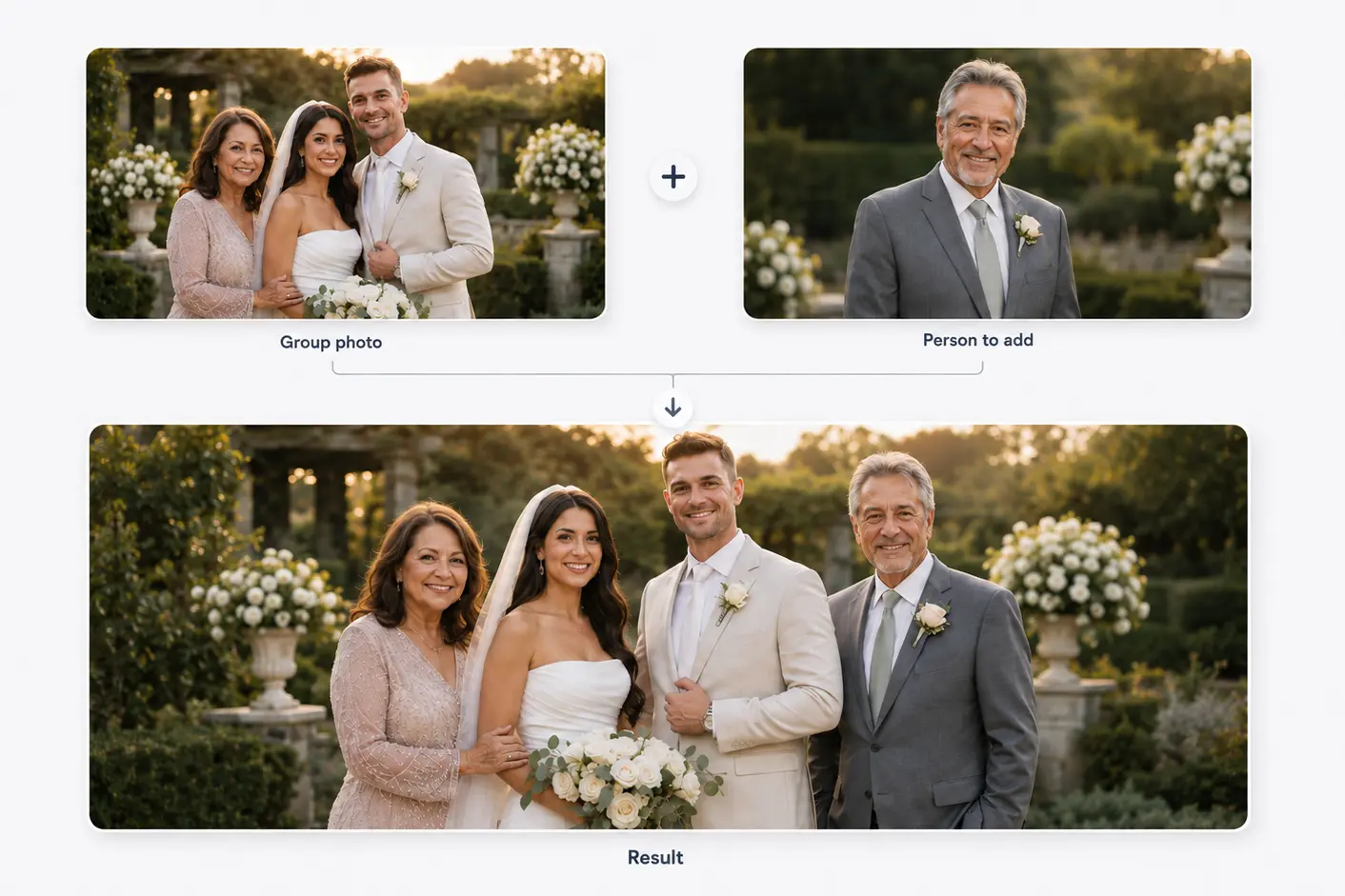
Two photos become one shared moment
Start with a family or group photo and a separate portrait. The person is then added to the main photo.
Results vary with photo angle, lighting, image quality, and available space.
Composition, not cut-and-paste
Choose a placement that supports the wedding moment
Wedding photographs contain a strong hierarchy: the couple, clothing, bouquets, hands, and family groupings all carry meaning.
A parent may belong near the bride or groom in a family formal, while a wider ceremony frame may support a quieter edge placement.
Before you choose
What makes a portrait fit a wedding photo
Look for formal or neutral clothing.
Match a standing portrait to a standing group.
Preserve bouquets, joined hands, veils, and dress silhouettes.
Use a portrait with light coming from a similar side.
Three decisions
Build the wedding composition in three decisions
- 01
Pick the wedding moment
Choose the frame where the person's presence would carry the most meaning.
- 02
Match pose and formality
Find a portrait whose angle, crop, and clothing can belong with the wedding group.
- 03
Protect the couple's focus
Place the loved one without covering important wedding details.
Use the scene, not a generic memorial template
A family formal benefits from a natural group placement; a private bridal portrait may call for a closer arrangement.
If the portrait is casual, a head-and-shoulders composition may be more credible than inventing a complete formal outfit.
Related use cases
Choose the page closest to your photo
Straight answers
Questions before you choose photos
Clear answers about what the tool accepts, what AI may change, and what happens after you generate.
Where should a loved one be placed in a wedding photo?
Use relationship and open space as the guide. A parent often fits near the bride or groom in family formals.
Can I use a casual portrait?
It can work in a closer crop, but formal or neutral clothing is easier to integrate.
Can I add more than one person?
The first workflow supports one main photo and one added portrait. Multi-person composition needs separate testing.
Does the wedding photo tool work now?
Yes. The current workflow accepts one wedding photo and one portrait, then creates one result for review and download.
Start with the two photos you already have
Choose two photos, add optional result guidance, and create one downloadable result. Review both source photos before you start.
Add a Loved One to a Wedding Photo