Add a Deceased Parent to a Wedding Photo
Add a parent to a ceremony image or family formal without forcing a generic pose. Start with the relationship, available space, and the portrait family members know best.
Prepare the parent wedding composition
Group photo
Portrait
JPG, PNG, or WebP · Max 10 MB per photo
No photos ready? Load a sample pair
Customize result (optional)
0/500
Photos upload only after you start. An allowance or credit is restored if the provider does not accept the task.
Output
How it works
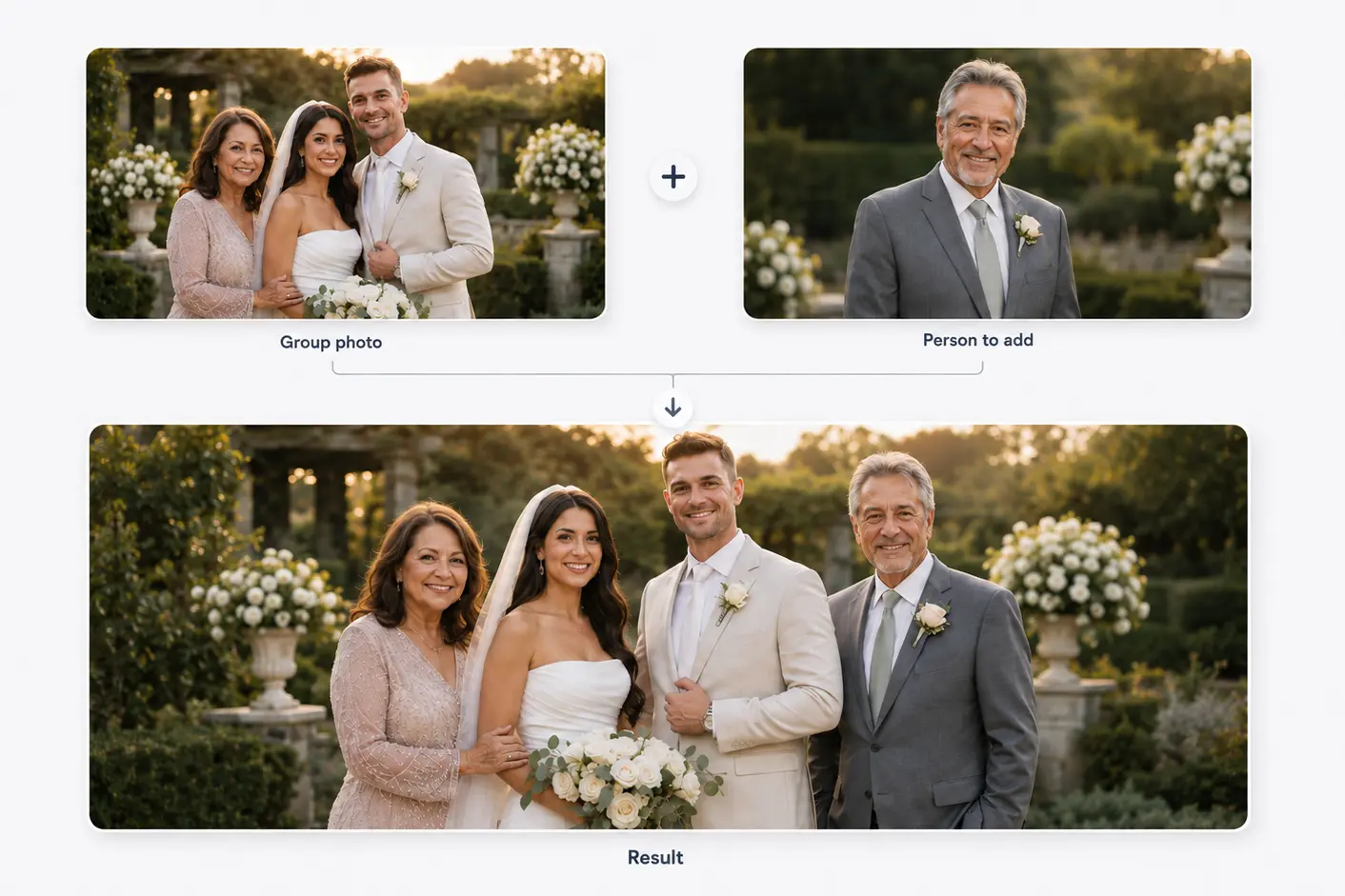
Two photos become one shared moment
Start with a family or group photo and a separate portrait. The person is then added to the main photo.
Results vary with photo angle, lighting, image quality, and available space.
Composition, not cut-and-paste
Use a parent-neutral workflow without generic results
This composition should not assume the couple's gender, family structure, or which parent is being remembered.
A family formal offers clear scale references, while intimate images may carry more emotion but leave less room.
Before you choose
Prepare a parent portrait for the wedding frame
Use the original wedding file before social cropping.
Choose a clear, familiar expression.
Match standing, seated, or close-up sources to the intended frame.
Identify open placement that preserves existing relationships.
Three decisions
Plan the parent's place in the photograph
- 01
Define the relationship position
Choose who the parent should stand beside so the composition reads clearly.
- 02
Select compatible source material
Compare angle, crop, light, and clothing rather than resolution alone.
- 03
Check the full frame
Review faces, hands, clothing, and event details before choosing the open space.
Choose natural scale references
People on the same floor plane provide the best height and perspective references.
Adding two parents is a multi-person composition, not two repetitions of a one-person workflow, and is outside the current one-person tool.
Related use cases
Choose the page closest to your photo
Straight answers
Questions before you choose photos
Clear answers about what the tool accepts, what AI may change, and what happens after you generate.
Can I add either parent to a wedding group photo?
Yes. Base the composition on the actual relationship, pose, and open space rather than a fixed template.
Is a family formal better than a ceremony photo?
Family formals usually provide clearer space and scale; ceremony images may be more meaningful but harder to alter.
Can I add both deceased parents?
Not in the first workflow. Two-person additions need separate composition and quality testing.
Why might the create button be unavailable?
It stays unavailable until both valid photos are selected, or when the free browser allowance or generation service is unavailable.
Start with the two photos you already have
Choose two photos, add optional result guidance, and create one downloadable result. Review both source photos before you start.
Add a Deceased Parent to a Wedding Photo