Add a Deceased Mom to a Wedding Photo
Include Mom in a bridal portrait, couple photograph, or family formal while keeping her expression recognizable and the wedding moment intact.
Prepare the wedding and mother portraits
Group photo
Portrait
JPG, PNG, or WebP · Max 10 MB per photo
No photos ready? Load a sample pair
Customize result (optional)
0/500
Photos upload only after you start. An allowance or credit is restored if the provider does not accept the task.
Output
How it works
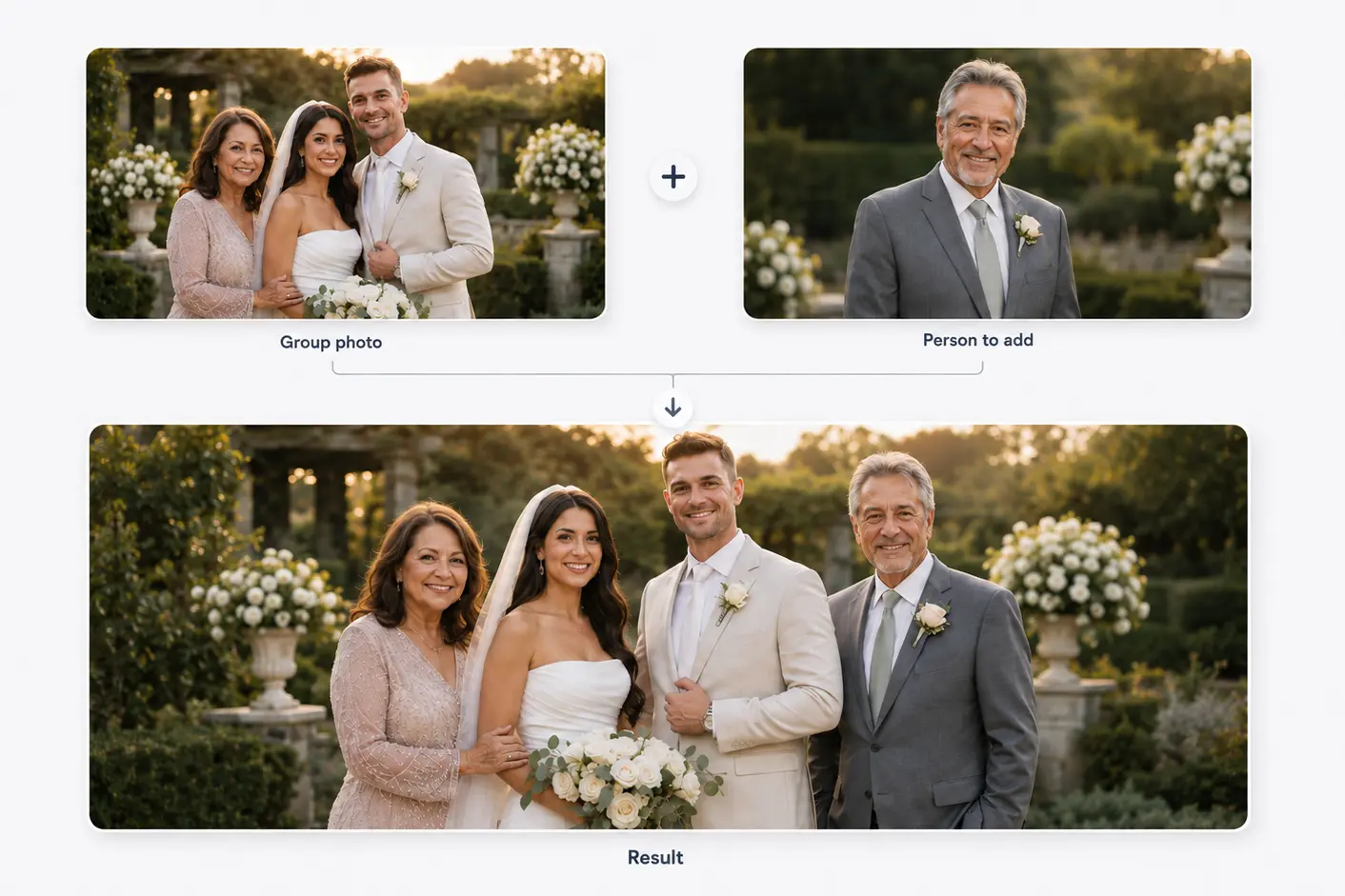
Two photos become one shared moment
Start with a family or group photo and a separate portrait. The person is then added to the main photo.
Results vary with photo angle, lighting, image quality, and available space.
Composition, not cut-and-paste
Build around the emotional role of the portrait
A mother may belong beside the bride in a preparation portrait, near the groom in a family grouping, or close to both partners in a formal.
Hair edges, dress fabric, jewelry, and skin tone require careful matching. Soft, even light is easier to integrate than harsh flash.
Before you choose
Choose a mother portrait with usable detail
Use an image where hair and face edges are visible.
Match the direction the wedding group is facing.
Prefer formal, neutral, or timeless clothing.
Leave room around veils, bouquets, sleeves, and hands.
Three decisions
Plan the mother wedding portrait
- 01
Choose the meaningful frame
A quiet bridal image and a family formal serve different memories; select intentionally.
- 02
Compare pose and light
Find a portrait whose direction and lighting can sit naturally with the wedding group.
- 03
Place without covering the story
Keep the couple, dress, bouquet, and interactions readable.
Treat hair, clothing, and hands carefully
Long hair, lace, veils, and patterns create complex edges. A sharp portrait against a simple background helps.
Do not force linked arms or hand contact unless both sources support the pose.
Related use cases
Choose the page closest to your photo
Straight answers
Questions before you choose photos
Clear answers about what the tool accepts, what AI may change, and what happens after you generate.
Can I add my late mother to a bridal portrait?
Yes. A portrait with similar face direction and soft lighting gives the generator the best starting point.
Which photo of Mom should I choose?
Choose the most recognizable expression, then compare angle, hair detail, lighting, and clothing.
Can she be placed next to both partners?
A wider couple or family photo may allow it; available space and perspective should decide.
Does selecting a photo send it to a server?
The file stays local while you review it and uploads only after you start generation.
Start with the two photos you already have
Choose two photos, add optional result guidance, and create one downloadable result. Review both source photos before you start.
Add a Deceased Mom to a Wedding Photo