Add a Deceased Person to a Family Photo
Bring a missing family member into a group photograph with attention to spacing, height, eye line, and the relationships already visible in the frame.
Prepare the family photo merge
Group photo
Portrait
JPG, PNG, or WebP · Max 10 MB per photo
No photos ready? Load a sample pair
Customize result (optional)
0/500
Photos upload only after you start. An allowance or credit is restored if the provider does not accept the task.
Output
How it works
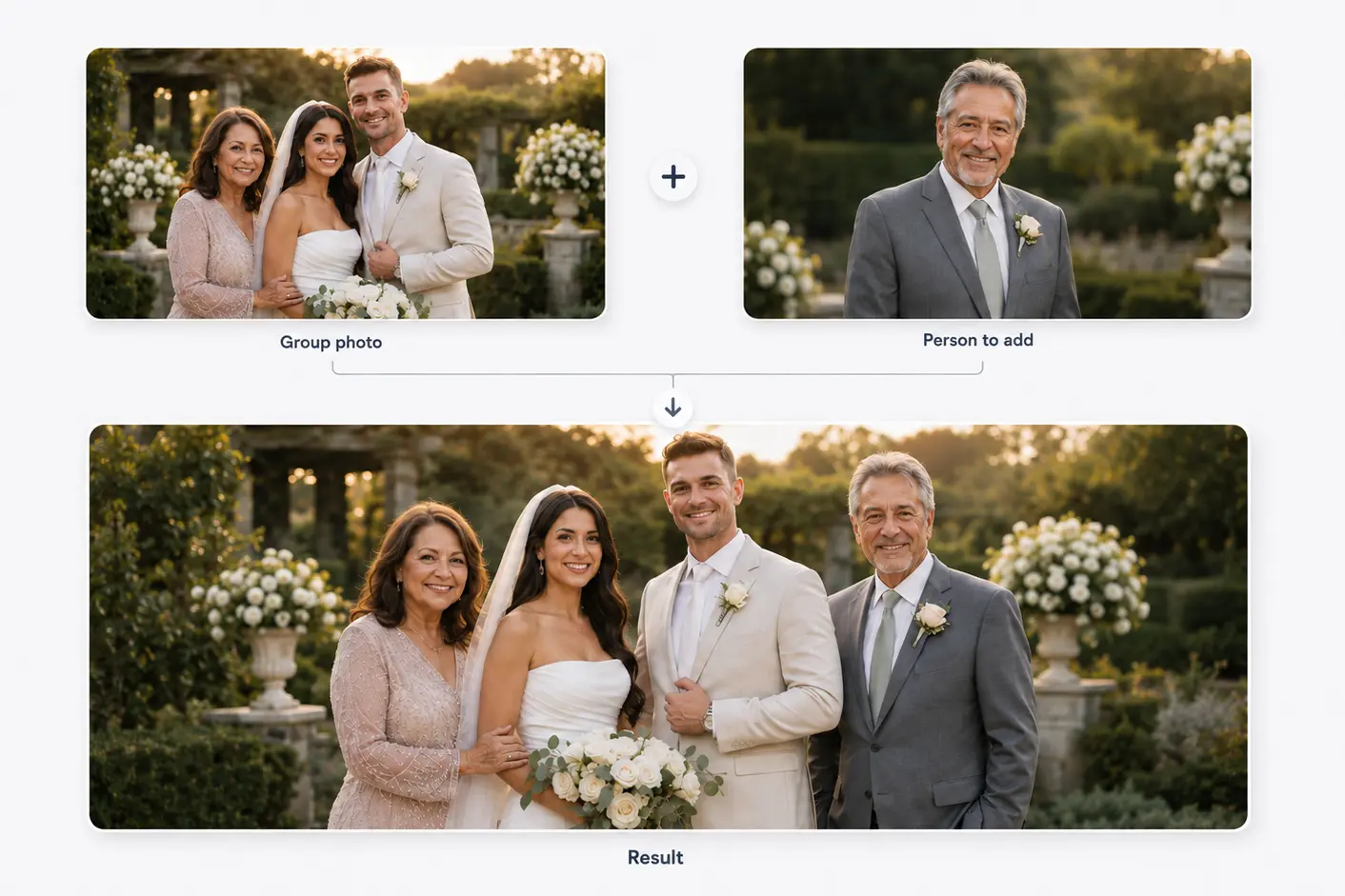
Two photos become one shared moment
Start with a family or group photo and a separate portrait. The person is then added to the main photo.
Results vary with photo angle, lighting, image quality, and available space.
Composition, not cut-and-paste
Make the group spacing feel intentional
Family photos are difficult when every gap already belongs to an interaction. An open edge may work better than inserting someone between linked arms.
Height alone cannot determine scale; distance, foot position, head size, sharpness, and shadow must agree with nearby relatives.
Before you choose
Choose family photos with reliable references
Avoid groups packed tightly across the frame.
Match camera height and standing or seated pose.
Look for open floor or background space.
Compare light direction on faces.
Three decisions
Plan the family group placement
- 01
Map existing relationships
Notice linked arms, children, seated relatives, and family subgroups before choosing a gap.
- 02
Use nearby people for scale
Compare head size, shoulder height, and distance from the camera.
- 03
Preserve the group outline
Keep the silhouette balanced instead of extending one side without support.
Avoid the pasted-sticker effect
A much sharper person, opposite lighting, or missing contact shadow will look separate even with a clean cutout.
Old portraits may need grain, contrast, and color matching while keeping the face recognizable.
Related use cases
Choose the page closest to your photo
Straight answers
Questions before you choose photos
Clear answers about what the tool accepts, what AI may change, and what happens after you generate.
Can I add a deceased relative to a large family photo?
Yes, but crowded groups leave fewer credible positions. An open edge or seated gap is easier.
How do I make the person the right size?
Use head size, shoulder height, camera distance, and floor plane together.
Can I use a black-and-white portrait?
Yes, but restoration and color treatment may be needed for a modern color group photo.
Is family photo generation available?
Yes. Select one family photo and one portrait to create a result with one added person.
Start with the two photos you already have
Choose two photos, add optional result guidance, and create one downloadable result. Review both source photos before you start.
Add a Deceased Person to a Family Photo